🔐 Self-custodial · No KYC · iOS

Send Bitcoin
in seconds.

Self-custodial. No KYC. No account. Just Bitcoin.
Lightning, Liquid, and on-chain — your seed phrase never leaves your device.

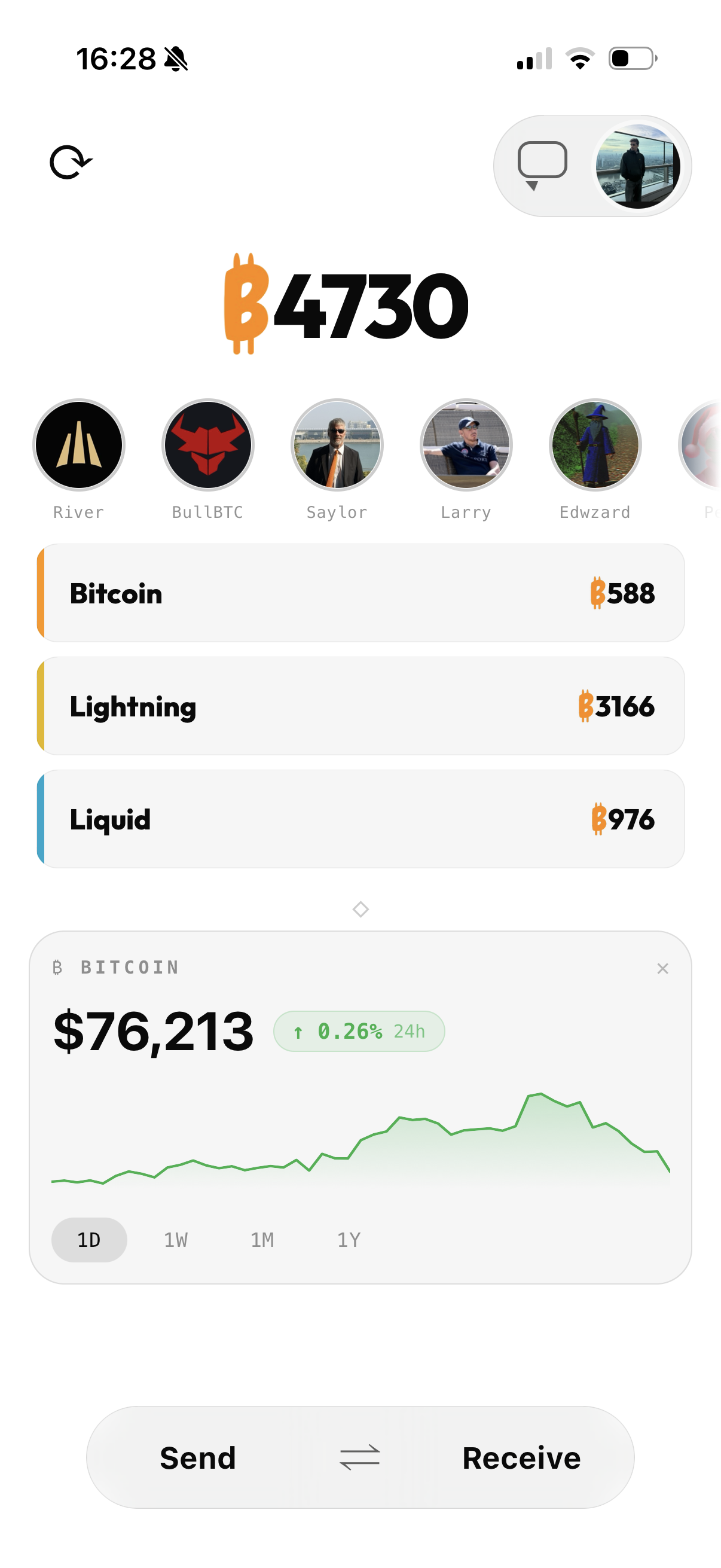
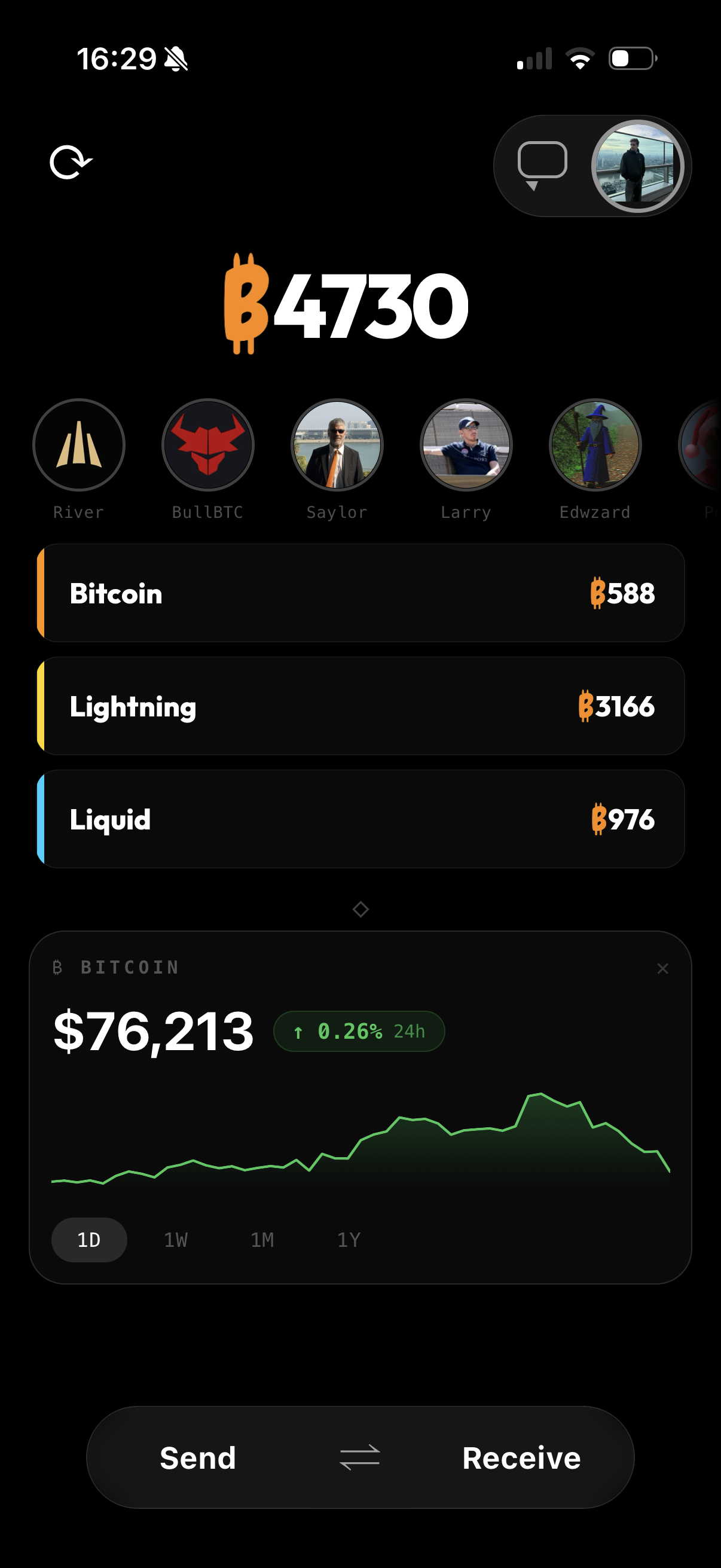
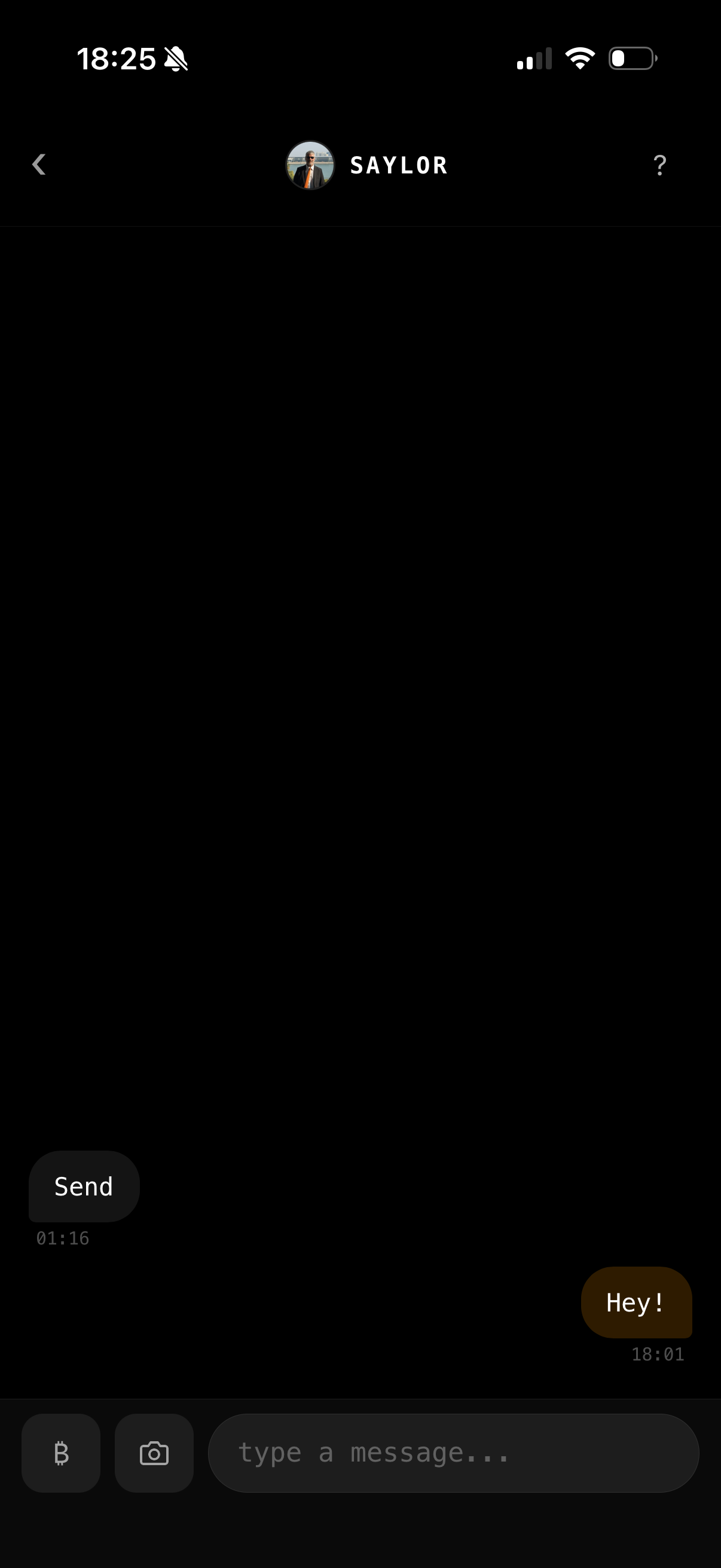
PayCashu app — dark theme showing wallet home screen with Send and Receive buttons, Bitcoin balance, and live price widget

Real app. Dark theme.
Your balance. Your keys.

Balance shows 0 in demo mode — real payments require the installed app.

₿ Real Bitcoin · ⚡ Lightning payments · 🔒 Your keys · 📱 iOS · No KYC

Three steps. Full control.

No accounts. No email. No KYC. Just a Bitcoin wallet that works.

01 — SETUP

Generate your wallet

A 12-word seed phrase is created on your device. We never see it, store it, or transmit it. Your seed is stored in the iOS Keychain — protected by the Secure Enclave.

02 — USE

Send & receive

Pay to any Lightning address, invoice, or on-chain Bitcoin address. The app picks the best route automatically — Lightning for speed, on-chain for finality.

03 — RECOVER

Own your backup

Set a backup PIN once. If you lose your phone, install the app, tap "Restore from backup," and enter your PIN. No seed phrase typing required.

Everything you need. Nothing you don't.

Core features are on by default. Advanced features are clearly marked optional — enable them when you need them.

Lightning payments

Instant Bitcoin payments via Spark. Send to any Lightning address, invoice, or Spark address. Near-zero fees. Settle in seconds.

💧

Liquid Network optional

Fast, confidential Bitcoin sidechain transactions. Swap between Lightning and Liquid using non-custodial Boltz HTLCs. No middleman.

On-chain Bitcoin

Native Taproot (P2TR) receive address. Send on-chain with live fee estimation. Your keys, your coins — no wrapping, no bridges.

🔒

Encrypted backup

Recover your wallet with a PIN — no seed phrase needed. Encrypted backup split across iCloud and our Key Server using 2-of-2 custody.

✉️

Nostr messaging optional

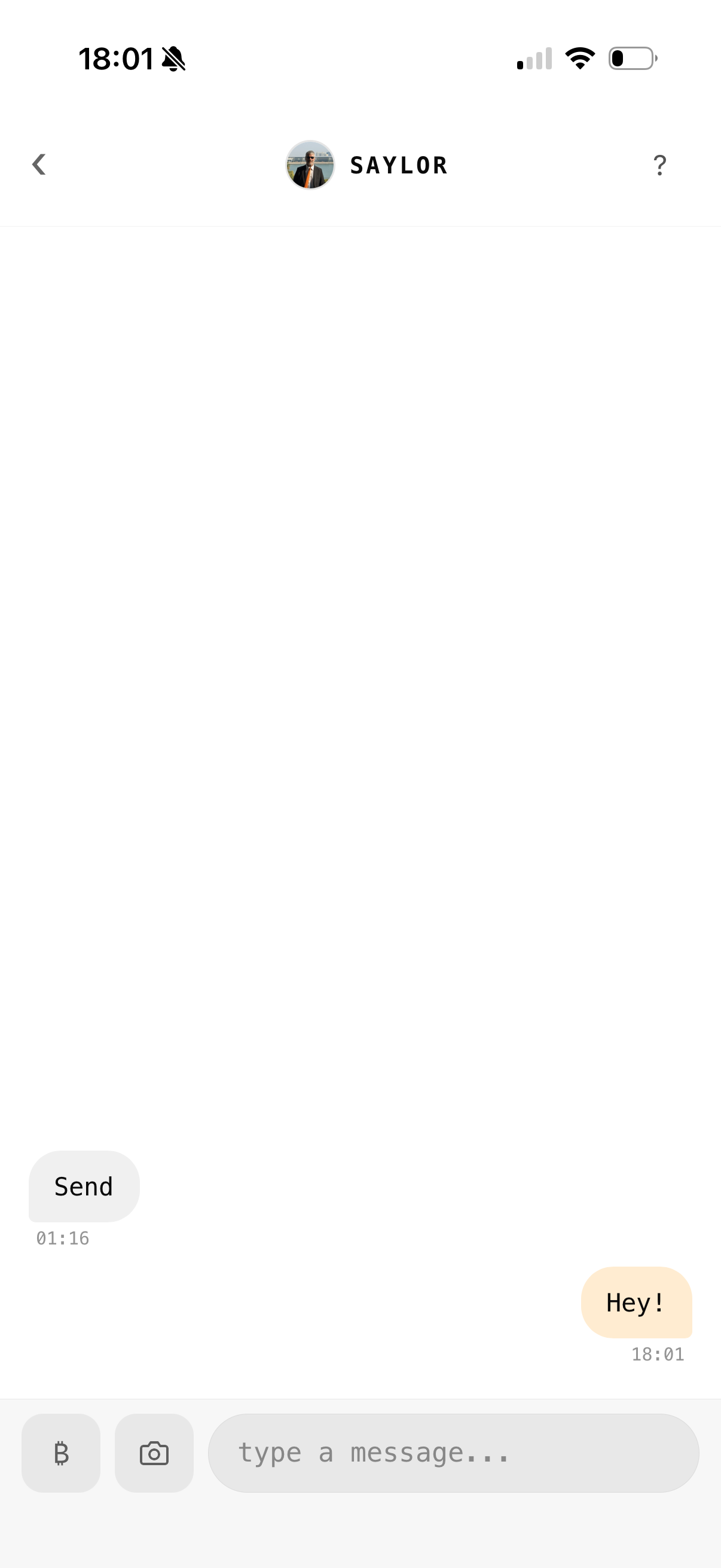
End-to-end encrypted peer-to-peer messages using the Nostr protocol. No phone number. No email. Disable in settings if unused.

👤

Lightning address

Claim a username to receive to you@getcashu.com. Share a human-readable address instead of a QR code.

🏦

Sub-accounts optional

Separate wallets from one seed using BIP-39 passphrase (25th word). Savings vs spending, personal vs business — same device, different keys.

👁

Watch-only wallets optional

Import an xpub or zpub to monitor cold storage. View balances and transactions without exposing private keys. Read-only.

🔑

Self-custodial

Your seed phrase, your keys, your coins. We have no access to your funds. No one can freeze, seize, or reverse your payments.

Built on open standards.
Verified by design.

Every cryptographic primitive is audited open-source software. No proprietary black boxes. Click any row to explore the details.

Lightning / Spark

Instant payments, near-zero fees

Lightning-fast Bitcoin transfers powered by Spark — a self-custodial off-chain protocol. Your keys sign every transaction. The node routes, you own.

Technical details

Protocol: Spark — off-chain UTXO model, cooperative exits
Fallback: Boltz v2 submarine/reverse swaps (HTLCs)
Derivation: BIP-39 seed → 64-byte hex seed
Address format: Lightning invoices (BOLT11), Lightning addresses (LN-URL), Spark addresses

Source links

Learn more about the protocols and implementations behind Lightning and Spark payments.

Liquid Network

Fast, confidential Bitcoin transfers

Bitcoin sidechain by Blockstream for fast, low-fee transfers with confidential transaction amounts. Atomic swaps with no trusted third party.

Technical details

Protocol: Liquid Network (Elements sidechain)
Swaps: Boltz v2 HTLCs — atomic, non-custodial
Derivation: BIP-84 m/84'/1776'/0'/0/0 → P2WPKH
Settlement: ~1 minute block time
Transactions: Confidential (amounts hidden on-chain)

Source links

Explore the Liquid Network, Blockstream's technology, and the underlying libraries.

On-chain Bitcoin

Native Bitcoin, always available

Receive to a native Bitcoin Taproot address. No wrapping, no custodians. Send on-chain with real-time fee estimation from mempool.space.

Technical details

Address format: BIP-86 Taproot (P2TR, bc1p…)
Fee estimation: mempool.space API
Send mechanism: Spark cooperative exit (small amounts) or Boltz submarine swap
Finality: Bitcoin mainchain (~10 min confirmation)

Source links

Read about Taproot, Bitcoin fee estimation, and on-chain transaction mechanics.

Nostr messaging (optional)

Encrypted chat, no accounts

Peer-to-peer encrypted messages using the Nostr protocol. No phone number. No email. Your keypair is derived from your wallet seed — one seed, one identity.

Technical details

Encryption: NIP-44 v2 (ChaCha20-Poly1305 + HMAC-SHA256)
Privacy: NIP-17 gift-wrapped DMs (Kind 1059 → 14) — relays see only ciphertext
Identity: HMAC-SHA256(bip39_seed, "nostr/v1") → secp256k1 keypair
Disabled by default — enable in Settings

Source links

Dive into the Nostr protocol, its implementation proposals, and the open-source ecosystem.

Key Derivation

One seed. All keys.

A single BIP-39 seed phrase deterministically generates every key used by the wallet. Lose your seed, restore everything. Same seed, same keys, always.

Technical details

Seed: BIP-39 12-word mnemonic (128-bit entropy)
Storage: iOS Keychain (Secure Enclave, AFTER_FIRST_UNLOCK_THIS_DEVICE_ONLY)
Spark/Lightning: mnemonicToSeed(mnemonic) → 64-byte hex
Liquid: BIP-32 m/84'/1776'/0'/0/0
Nostr: HMAC-SHA256(seed, "nostr/v1") → secp256k1
Account ID: SHA-256(mnemonic)[0:8] → 16-char hex (one-way)
Backup key: BIP-85 m/83696968'/32'/0' → 32 bytes
Libraries: @scure/bip39, @scure/bip32, @noble/hashes, @noble/ciphers

BIP standards used

PayCashu is built on established Bitcoin Improvement Proposals — open, peer-reviewed standards.

Want to go deeper?

Step-by-step guides and technical documentation for every feature.

Getting Started with PayCashu

From download to your first Bitcoin payment in under 2 minutes. Here's exactly what happens at each step — and why it matters.

1

Download PayCashu from the App Store

Search "PayCashu" on the App Store or use the download link. The app requires iOS 16+ and takes ~50 MB. No account creation. No email. No phone number.

2

Tap "Create new wallet"

What happens technically: The app generates 128 bits of cryptographic entropy using the iOS Secure Random Number Generator. This entropy is encoded as a 12-word BIP-39 mnemonic seed phrase. All your keys — Lightning, Liquid, on-chain, Nostr — are derived deterministically from this single seed. The seed is stored in the iOS Keychain, protected by the Secure Enclave hardware chip.

3

Write down your seed phrase and store it safely offline

Why this matters: Your seed phrase is the master key to your entire wallet. Anyone who has these 12 words can access all your funds. Write them on paper (or metal) and store in a secure, private location. This is your last-resort recovery method if all else fails.

4

(Optional) Set up Encrypted Backup

Go to Settings → Security → Encrypted Backup and choose a PIN. This creates a split-custody backup: an encrypted seed goes to iCloud, and an encrypted key goes to our Key Server. Neither side alone can decrypt your wallet. This lets you recover with just a PIN on a new phone — no seed phrase typing required. Uses Argon2id key derivation (OWASP-recommended).

5

Tap "Receive" → choose Lightning

This generates a Lightning invoice or displays your Lightning address. Under the hood, the app creates a Spark receive request — a self-custodial off-chain Bitcoin address. Your keys sign the receive authorization. The payment route is set up automatically.

6

Share your Lightning address or QR code

Your Lightning address looks like username@getcashu.com (if you claim a username) or you can share the QR code directly. Anyone with a Lightning-compatible wallet can send you Bitcoin instantly. The address is reusable — no need to generate a new one each time.

7

You're ready. Receive your first Bitcoin payment.

When someone sends to your address, the payment arrives in seconds via Lightning. Your balance updates in real-time. The Bitcoin is self-custodial — you hold the keys, not us. Welcome to sovereign money.

⚠ Never do these things with your seed phrase

  • Screenshot your seed phrase — screenshots sync to iCloud Photos, Google Photos, and can be accessed by other apps
  • Store it in a notes app, password manager, or any digital format — if the device is compromised, your seed is compromised
  • Share it with anyone — no legitimate service will ever ask for your seed phrase. Not PayCashu, not Apple, not anyone
  • Type it into any website — phishing sites designed to steal seed phrases are extremely common
Learn more about BIP-39 seed phrases →

Sending Bitcoin

PayCashu supports multiple send paths. The app auto-detects the destination type and selects the best route. Here's how each one works.

⚡ Lightning — instant, near-zero fees

Best for: everyday payments, small amounts, instant settlement.

1

Paste a Lightning invoice or Lightning address

Tap the Send button and paste a BOLT11 invoice (starts with lnbc...), a Lightning address (user@domain.com), or a Spark address. The app auto-detects the type.

2

Enter amount (if not pre-filled)

For invoices with a set amount, this is pre-filled. For Lightning addresses, enter the amount in sats or your local currency. Live exchange rate displayed.

3

Slide to Send

Review the details and slide the confirmation button. Payment is signed by your keys and sent through the Spark network. Confirmation typically arrives in under 1 second.

₿ On-chain — final settlement on the Bitcoin blockchain

Best for: large amounts, cold storage transfers, recipients who only accept on-chain.

1

Paste a Bitcoin address

Paste a bc1... address (Taproot, SegWit) or legacy address. The app detects on-chain automatically.

2

Enter amount and select fee priority

Choose from low, medium, or high priority. Fee estimates are pulled in real-time from the mempool.space API. Higher priority = faster confirmation, higher fee.

3

Slide to Send

The app creates a Spark cooperative exit (for small amounts) or a Boltz submarine swap to fund the on-chain transaction. Confirmation takes ~10 minutes (1 block).

💧 Liquid — fast sidechain transfers (optional)

Best for: faster-than-on-chain transfers with confidential amounts. Must be enabled in Settings.

1

Paste a Liquid address

Paste a Liquid Bitcoin (L-BTC) address. The app detects the Liquid network automatically.

2

Automatic swap via Boltz

The app creates a non-custodial atomic swap from your Lightning balance to Liquid using Boltz v2 HTLCs. No trust required — cryptographic guarantees ensure either both sides complete or neither does.

3

Slide to Send

Confirm and send. Liquid settlement takes ~1 minute. Transaction amounts are confidential — hidden from outside observers on the Liquid blockchain.

🔀 Smart route selection

You don't need to choose the network manually. The app detects the destination type from the address format and selects the optimal route automatically. Lightning addresses → Lightning. bc1... → on-chain. Liquid addresses → Liquid swap. You can always override if needed.

👆 Why "Slide to Send"?

Bitcoin transactions are irreversible. There's no "undo" button, no chargeback, no support ticket to reverse a payment. The slide gesture is a deliberate friction to prevent accidental sends — you can't accidentally tap and send your Bitcoin to the wrong address. It's a safety feature, not a UX quirk.

Learn more about Spark payments →

Recovery & Backup

Two ways to recover your wallet: encrypted backup (easiest) or seed phrase (universal fallback). Set up backup once — it could save your Bitcoin.

🔒 Setting up Encrypted Backup

1

Go to Settings → Security → Encrypted Backup

Open the app, tap the gear icon, navigate to Security, and select Encrypted Backup.

2

Enter a strong PIN (8+ characters)

Choose a memorable but strong PIN. Avoid common passwords, birthdays, or sequential numbers. This PIN is the only way to unlock your encrypted backup — there is no reset mechanism.

3

Confirm your PIN

Re-enter the PIN to confirm. Double-check carefully — if you forget this PIN and lose your seed phrase, your funds are permanently inaccessible.

4

Wait ~30 seconds for key derivation

The app runs Argon2id (OWASP-recommended) to derive an encryption key from your PIN. This is intentionally slow — it makes brute-force PIN cracking computationally infeasible. Uses 46 MB memory, 2 iterations.

5

Done — backup saved

Your encrypted seed is saved to iCloud Keychain (syncs automatically to your Apple devices). The encrypted backup key is sent to our Key Server. Neither side alone can decrypt your wallet.

📱 Recovery on a new device (Encrypted Backup)

1

Install PayCashu on your new iPhone

Download from the App Store. Sign in with the same Apple ID you used before (for iCloud Keychain sync).

2

Tap "Restore from backup"

iCloud automatically provides your encrypted backup file. No manual import needed — it synced there when you first set up backup.

3

Enter your backup PIN

The app uses your PIN to derive the decryption key (Argon2id again, ~30 seconds), fetches the encrypted backup key from the Key Server, and decrypts your seed. Rate limited: 3 attempts per 24 hours.

4

Wallet fully restored

All balances, addresses, and history accessible. Your seed is back in the iOS Keychain on your new device.

📝 Seed phrase recovery (universal fallback)

1

Install PayCashu

Download the app on any iPhone running iOS 16+.

2

Tap "Import existing wallet"

Select the seed phrase import option from the welcome screen.

3

Enter your 12 words

Type your BIP-39 seed phrase in order. The app validates each word against the BIP-39 wordlist and verifies the checksum.

4

Wallet restored

All keys are re-derived deterministically from your seed. Same seed = same wallet, guaranteed by the BIP-32/39/85/86 standards.

There is no PIN reset. This is a security feature, not a limitation. If PIN reset existed (via email, phone, support ticket), an attacker could social-engineer their way into your wallet. Without your PIN, encrypted backup recovery is impossible — but you can still restore from your 12-word seed phrase. This is why writing down your seed phrase is critical even if you use encrypted backup.
If you set up Encrypted Backup before losing your phone: you can recover with just your PIN on a new iPhone (iCloud syncs the encrypted backup automatically). If you did NOT set up Encrypted Backup and lost your seed phrase: your funds are permanently inaccessible. No one — not PayCashu, not Apple, not anyone — can recover them. This is the trade-off of self-custody: you have full control, but also full responsibility. Set up Encrypted Backup as insurance.
No. We never have access to your seed phrase or your backup PIN. The Key Server holds an encrypted backup key, but it cannot decrypt it without the PIN-derived key that only exists on your device during recovery. This is by design — if we could recover your wallet, so could a hacker, a government, or a rogue employee.
See how split-custody backup works →

Privacy & Security

PayCashu is designed to minimize data exposure. Here's exactly what happens with your data, how your identity is protected, and what "self-custodial" really means.

📡 What data leaves your device

The following data is transmitted from your device to external servers. Everything else stays local.

  • Account ID — a SHA-256 hash of your mnemonic, truncated to 16 hex characters. One-way function: cannot be reversed to identify you. Used for Key Server lookups.
  • Nostr public key — only if you claim a Lightning address username. Required for routing incoming payments.
  • Lightning payment routing data — invoice amounts and routing hints for payments we facilitate through Spark.
  • Encrypted backup blobs — AES-256-GCM encrypted data sent to iCloud and Key Server. Cannot be decrypted without your PIN.
  • Nostr messages (encrypted) — NIP-44 encrypted ciphertext relayed through Nostr relays. Content is end-to-end encrypted.

Never transmitted: your seed phrase, private keys, backup PIN, Boltz swap claim/refund keys, plaintext messages, or any personal information.

💬 How Nostr DMs work (NIP-44 gift wrap)

When you send a message in PayCashu:

  • Your message is encrypted with NIP-44 v2 (ChaCha20-Poly1305 + HMAC-SHA256) using a shared secret derived from your and the recipient's keys
  • The encrypted message is wrapped in a NIP-17 gift wrap (Kind 1059 → Kind 14) — this adds an extra encryption layer so relays cannot see even the metadata (sender, recipient, timestamp)
  • Relays see only opaque ciphertext. They cannot read your messages, identify who's talking to whom, or correlate conversations

🆔 How your Account ID is derived

Your account ID is: SHA-256(mnemonic)[0:8] — the first 8 bytes (16 hex characters) of the SHA-256 hash of your seed phrase as a string.

  • SHA-256 is a one-way cryptographic hash function — it cannot be reversed
  • Given only your account ID, no one can determine your seed phrase, your identity, or any personal information
  • Two different seed phrases will produce completely different account IDs (collision-resistant)
  • Used solely for Key Server backup lookups

👥 Sub-accounts for privacy separation

Use the BIP-39 passphrase feature (25th word) to create completely separate wallet identities from the same seed:

  • Personal vs Business: different keys, different addresses, no on-chain link between them
  • Savings vs Spending: keep long-term holdings separate from daily spending
  • Privacy compartments: different account IDs, different Nostr identities, different Lightning addresses

Each sub-account derives entirely different keys — there's no cryptographic link between them without knowing both the seed and the specific passphrase.

🔑 What "self-custodial" actually means

In practice, self-custodial means:

  • You hold the keys. Your seed phrase and private keys exist only on your device (in the iOS Keychain, protected by the Secure Enclave). We never see them.
  • You authorize every transaction. Every payment requires a cryptographic signature from your private key. We cannot initiate, reverse, or block transactions.
  • No one can freeze your funds. Unlike a bank or exchange, there's no "freeze account" button. Your Bitcoin is controlled solely by your keys.
  • You bear full responsibility. If you lose your seed phrase and backup PIN, no one can recover your funds. That's the trade-off for true ownership.

📊 PayCashu vs Custodial Exchange

Feature PayCashu Custodial Exchange
Who holds your keys? You The exchange
KYC / ID verification None required Required (passport, selfie, address)
Can freeze your funds? No — impossible Yes — at any time, for any reason
Data collected Account ID hash only Full identity, address, SSN, bank info
Withdrawal limits None Daily/monthly limits, approval required
Recovery if company shuts down Seed phrase restores everything Bankruptcy proceedings, hope for the best
Recovery if you lose credentials Seed phrase or encrypted backup required Customer support password reset
Learn more about the Nostr protocol →

Advanced Features

Power-user features for those who want maximum flexibility and privacy. All are optional — enable only what you need.

🏦 Sub-accounts (BIP-39 passphrase)

Sub-accounts use the BIP-39 passphrase feature — sometimes called the "25th word." Adding a passphrase to your seed phrase creates an entirely different wallet with different keys, addresses, and identity.

  • How to create: Settings → Wallets → Add Sub-account → enter a passphrase
  • Savings/spending split: keep your main balance in a passphrase-protected sub-account, use the default wallet for daily spending
  • Plausible deniability: your main wallet (no passphrase) can have a small balance. Sub-accounts are invisible without knowing the exact passphrase
  • Each sub-account gets: its own seed derivation, own Spark wallet, own on-chain addresses, own Nostr identity, own account ID

Warning: if you forget your passphrase, you cannot access that sub-account. There is no recovery. Write it down separately from your seed phrase.

👁 Watch-only wallets

Monitor your cold storage balance without exposing private keys. Ideal for checking hardware wallet balances on your phone.

  • How to set up: Settings → Wallets → Import Watch-only → paste your xpub or zpub
  • What you can do: view balances, see incoming/outgoing transactions, generate receive addresses, track portfolio value
  • What you can't do: send Bitcoin, sign transactions, or access private keys (they never exist on the device)
  • Privacy note: the xpub is stored locally on your device. It is not transmitted to our servers

Learn more about BIP-32 extended public keys →

✉️ Nostr messaging

PayCashu includes a built-in Nostr client for end-to-end encrypted messaging. Your Nostr identity is derived from your wallet seed — no separate account needed.

  • How to enable: Settings → Nostr → Enable Messaging
  • Finding contacts: search by Nostr public key (npub), NIP-05 address (user@domain.com), or import from your contact list if they use Nostr
  • What relays see: opaque encrypted blobs. NIP-17 gift wrapping hides sender, recipient, and timestamp metadata from relay operators
  • Key derivation: HMAC-SHA256(bip39_seed, "nostr/v1") → secp256k1 keypair. Same seed always produces the same Nostr identity
  • Disable anytime: toggle off in Settings. No data persists on relays that can be linked back to you

Browse Nostr Implementation Possibilities (NIPs) →

⚡ BOLT12 recurring payments

BOLT12 offers (when supported) enable reusable payment requests and potential subscription-style recurring payments over Lightning.

  • Reusable offers: share a single BOLT12 offer string that can be paid multiple times — no new invoice needed each time
  • Privacy: BOLT12 uses onion-routed reply paths, so the payer doesn't learn the recipient's node ID
  • Status: BOLT12 support depends on the underlying Lightning/Spark infrastructure. Check Settings → Advanced for current availability

👤 Username claim (Lightning address)

Claim a human-readable Lightning address to receive payments without sharing QR codes or invoices.

  • How to claim: Settings → Profile → Claim Username → choose your name
  • Your address: username@getcashu.com — anyone with a Lightning wallet can send to this
  • How it works: when someone sends to your address, our server resolves it to your Nostr public key, which routes the payment to your Spark wallet
  • Privacy trade-off: claiming a username links your Nostr public key to a human-readable name on our server. If you prioritize maximum privacy, skip the username and use QR codes or invoices instead
  • Reusable: your Lightning address never expires and can receive unlimited payments
Learn more about Spark and advanced features →

Recover without your seed phrase.

Set a backup PIN once. Lose your phone, get a new one, enter your PIN — wallet restored. No seed phrase typing. No support ticket.

Recovery steps

1

Install the app on your new iPhone

Download PayCashu from the App Store. No account creation needed.

2

Tap "Restore from backup"

iCloud automatically provides your encrypted backup file. It synced there when you first created your backup.

3

Enter your backup PIN

Your PIN unlocks the encrypted backup key from our Key Server. 3 attempts allowed per 24 hours.

4

Wallet fully restored

All balances, addresses, and history accessible. No seed phrase ever typed.

How the split custody works

iCloud Keychain holds

  • Your encrypted seed (AES-256-GCM)
  • A random identifier for Key Server lookup
  • The Argon2 salt used for your PIN
  • Syncs automatically to your new device

Key Server holds

  • Encrypted backup key (AES-256-GCM)
  • A hashed lookup key — SHA256(identifier:authKey)
  • Rate limit: 3 PIN attempts per 24 hours
  • Cannot decrypt without your PIN-derived key
Neither location alone is enough. iCloud has the encrypted seed but not the key to decrypt it. The Key Server has the encrypted key but not the seed. Both are required — and only you have the PIN that connects them.

Security parameters

  • Argon2id — 46 MB memory, t=2 iterations
  • OWASP-recommended key derivation
  • Server breach alone → useless ciphertext
  • iCloud breach alone → useless ciphertext

We see very little. By design.

No KYC. No phone number. No email. Here is exactly what our server knows about you — and what it does not.

What our server knows

  • Your account ID — a one-way SHA-256 hash. Cannot be reversed to identify you.
  • Your Nostr public key — required for Lightning address routing if you claim a username.
  • Your username — only if you claim one. Optional.
  • Payment routing metadata — Lightning invoice amounts for payments we facilitate.
  • Vault: SHA256(identifier:authKey) + encrypted backup blobs — cannot decrypt without your PIN.

What our server does NOT know

  • Your seed phrase or any private key — ever.
  • Your Nostr message contents — end-to-end encrypted with NIP-44.
  • Your Boltz swap claim/refund keys — generated on device, never transmitted.
  • Your real name, email, phone number, or government ID.
  • Your backup PIN or its encryption key (encKey) — never transmitted.

Common questions.

Never. Your 12-word seed phrase is generated on your device and stored in the iOS Keychain, protected by the Secure Enclave. It is never transmitted to any server. We cannot access it.
If you set up Encrypted Backup before losing your phone: install the app on your new iPhone, tap "Restore from backup," and enter your PIN. iCloud automatically syncs your encrypted backup file to the new device. Wallet fully restored in minutes — no seed phrase needed.

If you did not set up Encrypted Backup: restore from your 12-word seed phrase as you would with any Bitcoin wallet.
There is no PIN reset. This is intentional. If there were a PIN reset via email or phone, that would mean an attacker could social-engineer their way into your wallet. By having no reset, we guarantee that no one — including us — can be compelled to give someone access to your funds.

If you forget your PIN, you can still restore your wallet from your 12-word seed phrase.
No. Each layer and feature is independent. You can use PayCashu as a simple Lightning-only wallet. Liquid swaps, Nostr messaging, sub-accounts, and watch-only wallets are all optional — they appear in Settings and are clearly labeled.
Spark is a self-custodial off-chain Bitcoin protocol that enables instant, low-fee payments. Unlike traditional Lightning Network channels (which require liquidity management), Spark uses a cooperative exit model — your keys sign every transaction, and you can always exit to the Bitcoin mainchain. Learn more at spark.info.
Liquid is a Bitcoin sidechain built by Blockstream designed for fast (~1 minute) and confidential transactions. Swaps between Bitcoin and Liquid use Boltz Hash Time-Locked Contracts (HTLCs) — atomic, non-custodial, and trustless. Learn more at liquid.net.
The cryptographic libraries used in PayCashu are all open source and independently audited:

· @noble/hashes — Argon2id, SHA-256, HMAC
· @noble/ciphers — AES-256-GCM
· @scure/bip32 — HD key derivation
· @scure/bip39 — BIP-39 mnemonic

Standard protocols used: BIP-39, BIP-32, BIP-84, BIP-85, BIP-86, NIP-44, NIP-17.
No. We never hold your private keys or seed phrase. We route payments on your behalf through Spark and Boltz, but the cryptographic signatures that authorize those payments are always generated on your device. We cannot initiate, reverse, or block any transaction.